9 Homepage Mistakes I See on Almost Every Small Business Website
TL;DR
Most homepages don’t lose customers because of design. They lose them because visitors can’t tell what you do, who it’s for, or what to do next. Here are the nine mistakes this post covers:
- A headline that doesn’t say what you do
- Talking about yourself more than your customer
- Too many calls to action
- A generic stock photo hero
- No clear service area or audience
- Hiding your services
- No proof you deliver
- Writing only for Google (or only for humans)
- A slow, clunky mobile experience
Most of them are copy and structure fixes you can make in an afternoon, no redesign needed. There’s a quick six-question self-check at the end.
Most homepages don’t fail because they’re ugly. They fail because a visitor lands, can’t figure out what’s going on fast enough, and hits the back button. You never even know they were there.
After building and reviewing a lot of small business websites, I see the same homepage mistakes over and over. The good news: almost all of them are copy and structure problems, which means you can fix them without a full redesign.
Here are the nine I see most, and what to do about each one.
1. A Headline That Doesn’t Say What You Do
“Where dreams take shape.” “Excellence in every detail.” These sound nice, but a visitor still has no idea whether you build houses, plan weddings or sell candles.
The fix: rewrite your headline so a stranger knows what you do in two seconds. Here are 20 homepage headline formulas to get you started.
2. Talking About Yourself More Than Your Customer
Count how many times your homepage says “we” or “I” compared to “you.” If “we” wins by a landslide, the page is about you, not the person deciding whether to hire you.
The fix: rewrite key sections around the customer’s problem and the result they want. Keep your story, but move most of it to your About page.
3. Too Many Calls to Action
Call us! Email us! Follow us on Instagram! Download our brochure! Join our newsletter! When every button is shouting, none of them gets clicked.
The fix: choose one primary action and repeat it at the top and bottom of the page. Everything else becomes a quieter text link.
4. A Generic Stock Photo Hero
The smiling team in a conference room. The handshake. The laptop on a white desk. Visitors have seen these images a thousand times, and they quietly signal “this business could be anyone.”
The fix: use real photos of you, your team, your space or your work. Even a well-lit phone photo usually beats stock.
Want your homepage copy already written? Grab the free Copy-Paste Homepage: 30 ready-to-use pieces of homepage copy, every section written three ways.
5. No Clear Service Area or Audience
If you’re a local business and your homepage never mentions where you work, both visitors and search engines have to guess. The same goes for who you serve. “Everyone” isn’t an audience.
The fix: name your city or region in your subheadline or about snippet, and say plainly who you help.
6. Hiding Your Services
Some homepages are all mood and no menu. Visitors have to dig through navigation to find out what you actually offer, and most won’t bother.
The fix: list three to five main services right on the homepage with short, results-focused descriptions. Here’s what to put on your homepage, section by section.
7. No Proof You Deliver
Without reviews, results or examples of your work, you’re asking visitors to take your word for it. Most won’t.
The fix: add two or three specific testimonials near your services, plus a trust bar with your review count or years in business.
8. Writing Only for Google (or Only for Humans)
Old-school SEO homepages are stuffed with awkward keyword phrases. Other homepages are so vague that search engines and AI tools can’t tell what the business does. Both cost you.
The fix: write clearly for people first, using the words they actually search for. Add a short FAQ with direct answers, which also helps you show up in AI search. Here’s what GEO is and why it matters, and the WordPress SEO plugins I recommend.
9. A Slow, Clunky Mobile Experience
Most of your visitors are on a phone. If your homepage takes forever to load, has tiny text, or makes people pinch and zoom, they’re gone before they read a word of your carefully written copy.
The fix: test your homepage on your own phone over cellular data. Compress images, cut heavy sliders and animations, and make sure your main button is easy to tap.
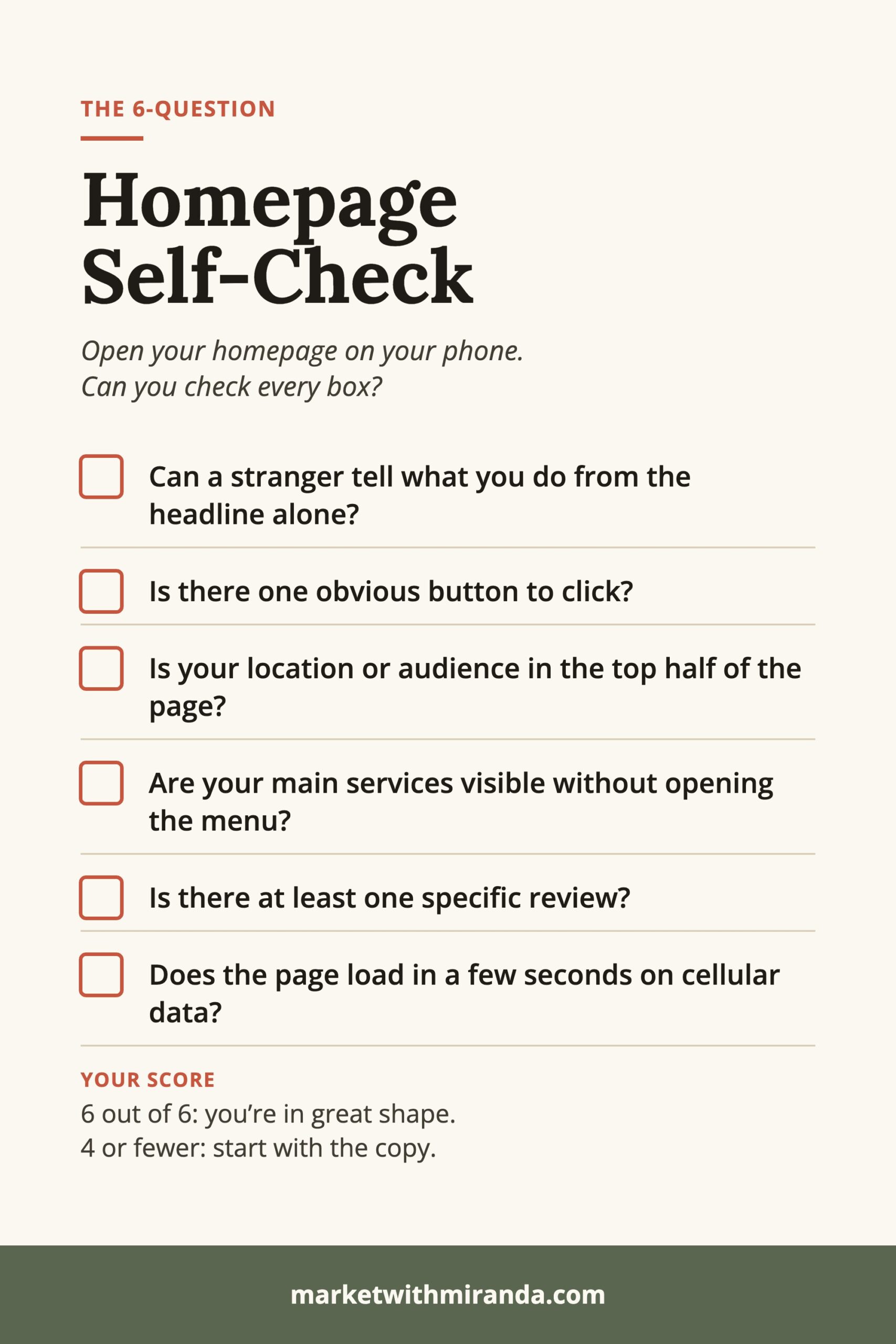
A Quick Homepage Self-Check
Open your homepage on your phone and give yourself one point for each “yes”:
- Can you tell what the business does from the headline alone?
- Is there one obvious button to click?
- Is your location or audience mentioned in the top half of the page?
- Are your main services visible without clicking the menu?
- Is there at least one specific review?
- Does the page load in a few seconds on cellular data?
Six out of six? You’re in great shape. Four or fewer? Start with the copy. It’s the fastest, cheapest fix with the biggest payoff.
Homepage Mistakes FAQ
What are the most common homepage mistakes?
The most common homepage mistakes are a headline that doesn’t say what you do, too many calls to action, generic stock photos, hidden services, no reviews or proof, and a slow mobile experience. Most of them are copy and structure problems, not design problems.
What should a small business homepage include?
A strong small business homepage includes a clear headline and subheadline, one main call to action, a short trust bar, your main services, a brief about section, testimonials, a short FAQ, and a closing call to action that repeats your main button.
How many calls to action should a homepage have?
Pick one primary call to action, like “Book a call” or “Get a quote,” and repeat it at the top and bottom of the page. Secondary actions such as following you on social media should be quieter text links.
Should I use stock photos on my homepage?
Use real photos of you, your team, your space or your work whenever you can. Generic stock photos make a business look interchangeable, and even a well-lit phone photo usually builds more trust.
Can I fix my homepage without a full redesign?
Yes. Most homepage mistakes can be fixed by rewriting your headline, tightening your services section, adding specific reviews, and choosing one clear call to action. Those changes usually take an afternoon, not a rebuild.
Does homepage copy affect SEO and AI search?
Yes. Clear, specific homepage copy that names what you do, who you serve and where you work helps Google and AI tools like ChatGPT understand your business. A short FAQ with direct answers also gives them quotable information.
Fix the Words First
Most of these homepage mistakes come down to copy: what you say, in what order, and how clearly. The Copy-Paste Homepage is a free swipe file with 30 ready-to-use pieces of homepage copy, every section written three ways, so you can replace weak sections with strong ones this week. You can also browse these homepage copy examples for inspiration.